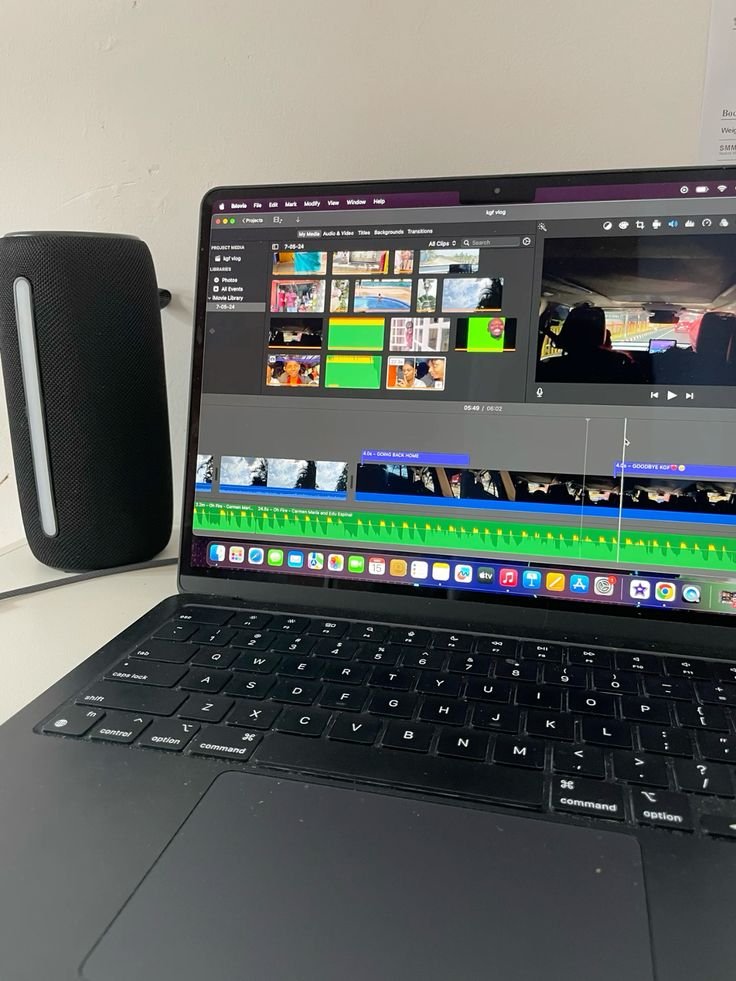
A safari in Tanzania offers some of the most remarkable photography opportunities in the world. However, even the best images can benefit from thoughtful post-processing to enhance color, detail, and overall impact. Effective editing allows you to refine your images while preserving the authenticity of the scene.
In this guide, Kilisherpas Travel outlines essential editing techniques to help you transform your safari photos into professional-quality results without over-processing.
1. Choosing the Right Editing Software
Selecting the right tools is the first step in achieving consistent and high-quality edits.
Professional software:
Adobe Lightroom – Ideal for color correction, exposure adjustments, and batch editing
Adobe Photoshop – Best for advanced retouching and detailed adjustments
Capture One – Known for precise color control and professional workflow
DxO PhotoLab – Excellent for noise reduction and lens correction
Beginner-friendly options:
Snapseed (mobile) – Simple and effective for quick edits
Luminar Neo – AI-assisted editing tools
Adobe Lightroom Mobile – Accessible and powerful mobile solution
GIMP – A free alternative to Photoshop
For photographers seeking a complete workflow, Adobe Lightroom remains one of the most efficient and widely used solutions.
2. Start with RAW Editing for Maximum Quality
Shooting in RAW format provides greater flexibility during editing by preserving more image data.
Basic workflow:
Import the RAW file into your editing software
Adjust white balance to achieve natural tones
Recover highlights and shadows to balance dynamic range
RAW editing allows you to restore details in bright skies and dark shadows that are often lost in JPEG images.
3. Perfecting Exposure and Contrast
Safari conditions often involve strong light and deep shadows. Adjusting exposure ensures a balanced image.
Key adjustments:
Exposure: Correct overall brightness
Highlights: Reduce to recover detail in bright areas
Shadows: Increase to reveal detail in darker regions
Contrast: Adjust carefully to add depth
Fine-tuning whites and blacks can often produce a more natural result than increasing contrast alone.
4. Enhancing Colors for a Natural Look
Safari photography is rich in natural tones, from golden grasslands to deep blue skies. Enhancing these colors should be done carefully to maintain realism.
Recommended tools:
White balance for correcting color temperature
Vibrance to enhance muted tones without oversaturation
Saturation used sparingly
HSL (Hue, Saturation, Luminance) for targeted color adjustments
Color grading for subtle cinematic tones
Maintaining natural color balance is key to professional-looking results.
5. Sharpening and Noise Reduction
Wildlife images often require sharpening and noise reduction, especially when shot with long lenses or high ISO settings.
Best practices:
Apply sharpening selectively to the subject
Use masking tools to avoid sharpening backgrounds
Reduce noise while preserving important details such as fur and texture
Use clarity and texture adjustments to enhance fine details
Balanced sharpening ensures images remain crisp without appearing artificial.
6. Cropping and Composition
Editing provides an opportunity to refine composition and improve visual impact.
Techniques to consider:
Apply the rule of thirds for balanced framing
Crop to eliminate distractions
Focus on key details such as facial features in wildlife portraits
Maintain enough space to preserve context
Thoughtful cropping can significantly strengthen the storytelling aspect of your image.
7. Final Adjustments and Exporting
Once editing is complete, export your images based on their intended use.
Recommended export settings:
For web and social media: JPEG, sRGB color profile, optimized resolution
For print: High-resolution JPEG or TIFF at 300 DPI
For portfolios: High-quality images with balanced file size
Adding a subtle watermark can help protect your work when sharing online.
8. Creative Editing Styles
For those looking to develop a unique visual identity, consider experimenting with different styles:
Warm-toned edits for sunrise and sunset scenes
Black and white conversions for dramatic wildlife portraits
Film-inspired tones with subtle grain and muted colors
Creative consistency can help define your photographic style.
Conclusion
Editing is an essential part of modern photography, allowing you to enhance and refine your safari images while preserving their authenticity. By applying careful adjustments to exposure, color, sharpness, and composition, you can produce images that reflect the true beauty of Tanzania’s landscapes and wildlife.
At Kilisherpas Travel, we support photographers at every level, offering safari experiences designed to help you capture and refine unforgettable moments in the wild.